

Chances are, you are using the item we will talk about today at this very moment – a keyboard. We students spend numerous hours a day typing on it, but did you ever ask yourself the question “Am I using the right keyboard?” If not, some of these statements might sound familiar to you: “my fingers feel numb from so much typing”, “my wrists hurt”, “typing doesn’t feel as nice as it used to”
Today we are going to explore what the right keyboard for you is but first we have to cover some essentials, so let’s get started!
Types of Switches
Before we can explain what causes the unpleasant feelings above we need to figure out what types of keyboards there are. Keyboards consist, as the name suggest, of several keys with key caps on them. Below these key caps are moving parts that connect what you type to the circuit board of the keyboard which ultimately transmits the signal to your computer. These connections are called “switch” and is most commonly either a rubber dome key switch of a mechanical key switch.
Rubber dome key switch:
These are typically the type of switches you will find on your notebook. Here you have a rubber dome below the key cap with a connector built in. When you push d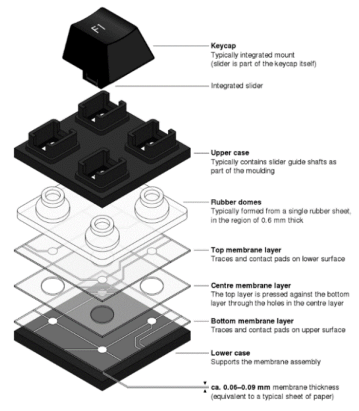 own the key the connector touches the circuit board and sends a signal. These switches are cheap to manufacture and are very compact, thus perfect for notebooks. The big drawback of those switches however is the rubber part. With time, the rubber will wear out, changing the overall typing feel of the keyboard and make it sluggish. You can try this at home: pay attention to how keys feel that you use most often like the space bar, “e”-key, or the “h”-key. Now try keys that you rarely use such as the number block or “non-letter” keys. Very different, right?
Mechanical key switch:
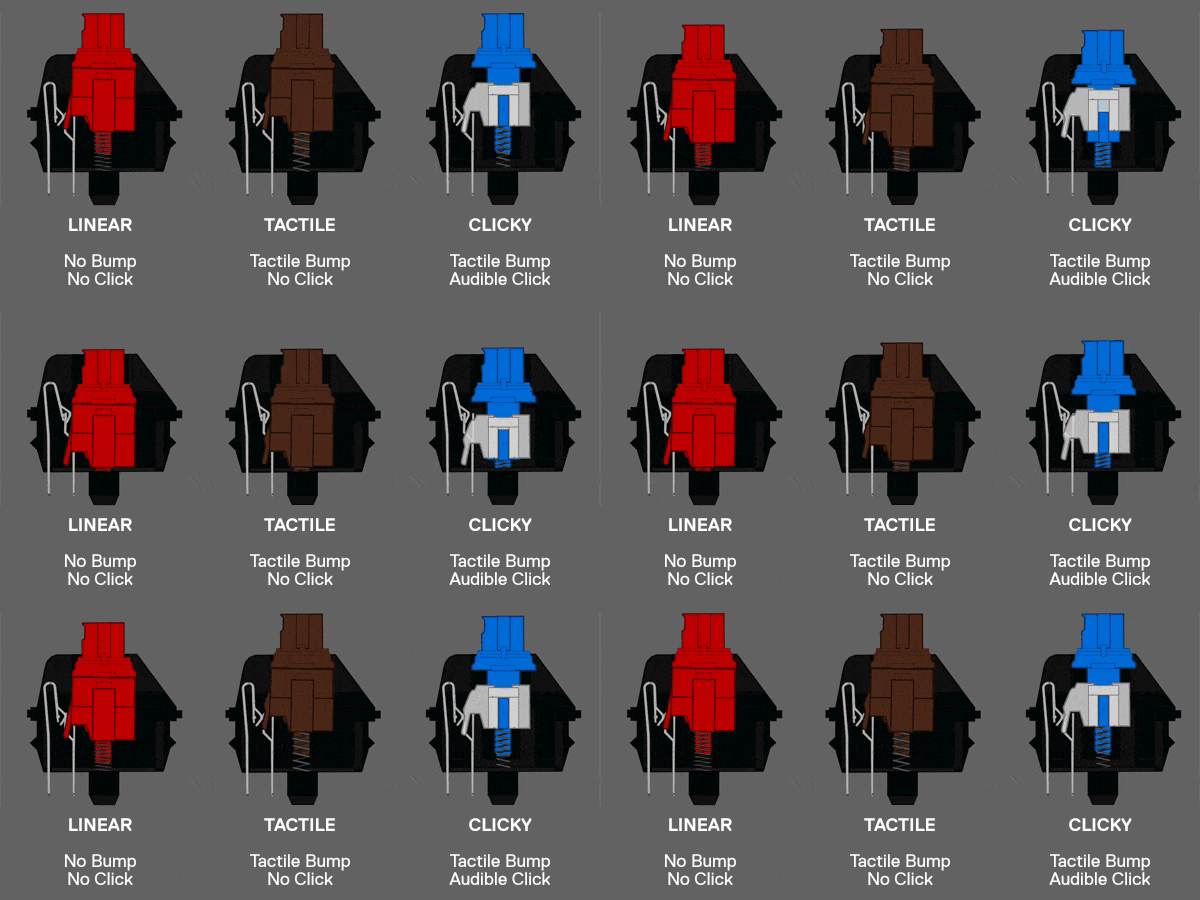
These switches are very uncommon, especially in notebooks. Currently there only a handful of notebooks that have these switches built in because they are much taller and more expensive to produce than the rubber dome keys. Thus, to get these you must buy an external keyboard that you can plug into your notebook at home. While this might not be as aesthetically pleasing as using the built in one, they have 2 major benefits: They don’t wear out and are much nicer to type on. There are more than 8 variations of mechanical switches to choose from, depending if you like lighter typing, a clicking sound when pressing it, linear feeling, tactile feedback, etc. To best demonstrate the difference between these switches, have a look at the GIF provided below:
So what’s the benefit of a mechanical keyboard?
Numb fingers & cramps
Now you know what kind of keyboard switches are out there but in what way does that benefit you? From what you have learned so far you can now tell why your fingers hurt or start to cramp when typing for a longer amount of time: worn out rubber dome switches! As mentioned before they have only a short travel way (distance between the connector in the key and the circuit board) and have a sluggish feeling to them. Repeating the same movement over and over causes your hand to hurt as our fingers not built for this by nature. So, if you have that problem there is a simple solution -> get a mechanical keyboard! If you work from home and you don’t bother others with your typing noise a blue switch-keyboard is prefect for you. They have a non-linear travel way, giving your fingers a different feeling with each keystroke and have a much longer travel way so you don’t have to press your fingers against something solid but only lightly tap it.
Hurting wrists
So, a mechanical keyboard can solve two problems, what if you are in the category of “hurting wrists?” This is a more serious issue as this can be the signal for a carpal-tunnel syndrome – a very painful condition where your nerves are squeezed through the unnatural upward position of your wrists. There are two ways you can solve this problem:
Elevate your wrists! A high-quality m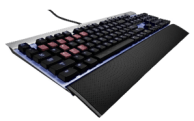 echanical keyboard usually comes with a pad to place your wrists on. Use these pads to elevate your wrists and bring them in a horizontal position. This will still allow you to have an amazing typing experience but also protects your wrists!
Ergonomic keyboards – the most common layout for ergonomic keyboards are split keyboards. These are normal keyboards with the same layout you would find on a normal one with one big difference: they are split and slightly elevated in the middle. This also allows for a m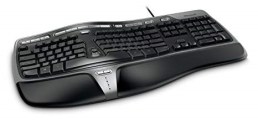 ore horizontal position of your wrists and slightly angles them for a more natural position. These keyboards can come in either variation, rubber dome or mechanical. While maintaining the same key layout as normal keyboards, they have a slightly different position and you will need some time to get used to but once you are familiar with it they feel like a charm.
Author’s recommendation:
We recommend our readers to get an external keyboard and mouse for work they can do at home. This allows for a much more ergonomic posture and also keeps crumbs away from your notebook! A good mechanical keyboard we can recommend is the Corsair K70. There are numerous different layouts and switch types to choose from, allowing you to make the perfect custom keyboard for you! We ourselves have been using a Corsair K70 blue-switch keyboard for more than 5 years now and are still in love with the typing feeling and the clicky noise! If you have never tried one of the mechanical switches, go to your closest computer shop and try a few out there, we can guarantee you will fall in love with one!
 UniTech
What keyboard are you using? If you already use a mechanical keyboard, which one do you have and what type of switches? Let me know!
LikeLike